Trending SVCMON Point Values
SVCMON points, including calculated points, can be trended from the Explore view. The default data window is a relative 8-hour window. You can change the window while viewing the data.
|
Trend Point |
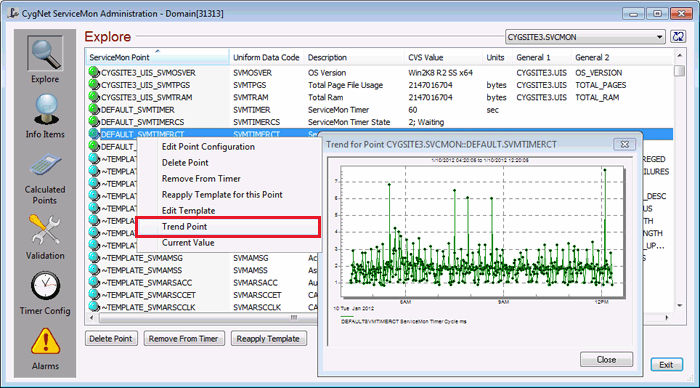
To Trend a SVCMON Point
- In the Explore view, right-click on a point and select Trend Point.
See Trend Tool for information about trending and trend manipulation.

